


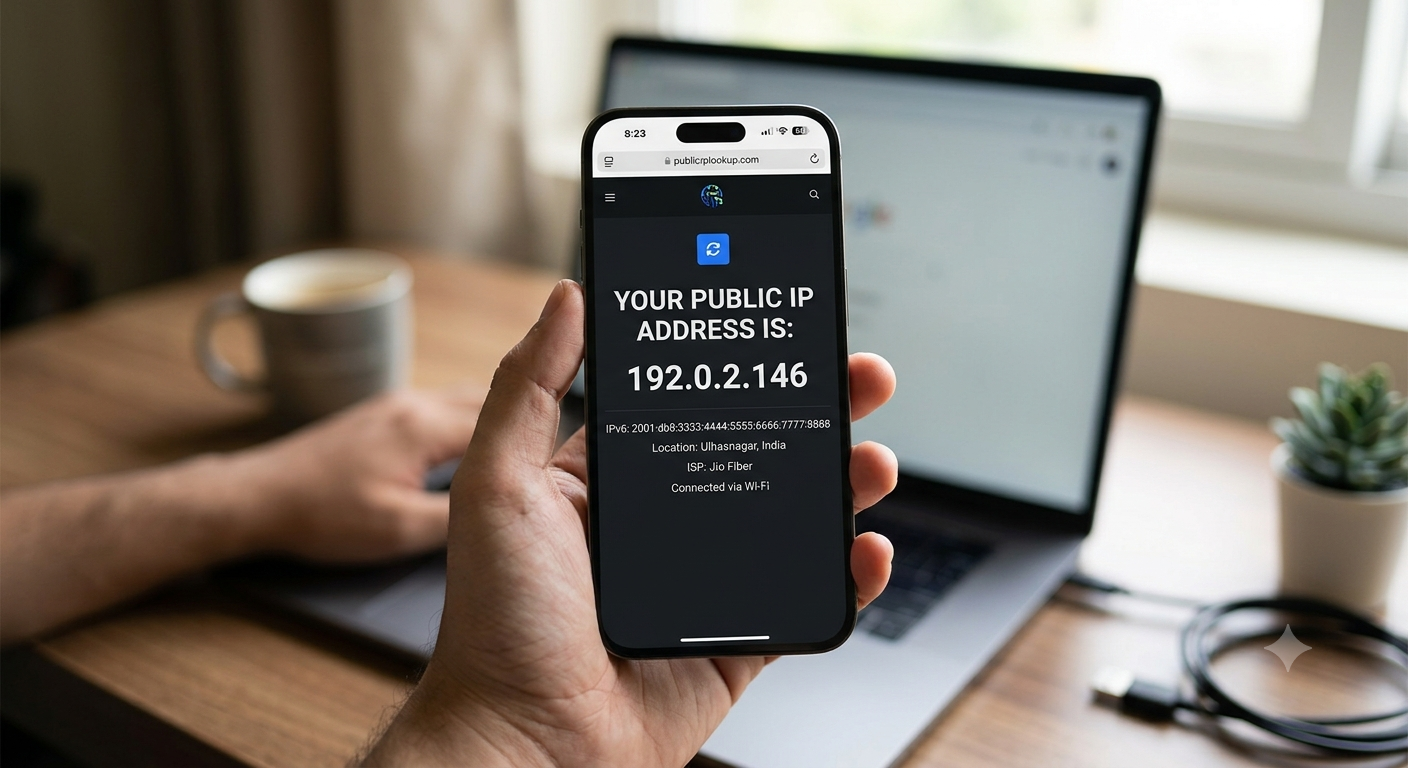
What Is My IP Address? A Complete Beginner’s Guide
Have you ever searched “What is my IP?” and suddenly seen a strange-looking number such as 103.86.45.21? You may have wondered, “Is that my address? Can someone find my house from it? Does it identify me?” These are surprisingly common questions, especially because an IP address sounds much more complicated—and sometimes more dangerous—than it really is. The good news is that understanding your IP address is much easier than understanding most networking terminology.
An IP address is simply an identifier used to help devices communicate across a network. When you open Google, watch YouTube, send a WhatsApp message, visit an online store, or read an article, your device needs a way to send and receive information. Your IP address is one of the pieces of information that helps make that communication possible. Cloud flare describes an IP address as an identifier assigned to a device or domain connected to the internet, with IP packets carrying sender and destination addresses much like mail carries a return and destination address.
Table Of Contents
- What Is My IP Address? A Complete Beginner’s Guide
- What Is an IP Address?
- IPv4 vs IPv6
- Public IP vs Private IP
- Static vs Dynamic IP Addresses
- How to Find or Check My IP Address
- What Can Someone Learn From My IP Address?
- Does My IP Address Reveal My Name or Identity?
- Can My IP Address Change?
- Why Do People Use VPNs to Hide Their IP?
- Common Myths About IP Addresses
- Conclusion
- Frequently Asked Questions About IP Addresses
So, if you are asking “What is my IP address?”, the simplest answer is this: your IP address is a numerical identifier associated with your internet connection or network communication. It does not automatically tell strangers your name, house number, phone number, or exact GPS position. It can provide useful information about your network and an approximate geographic area, though. That is why learning about IP address privacy is useful for anyone who uses the internet.
What Is an IP Address?
An IP address is a number or series of characters used to identify a device, network connection, or internet destination so that information can travel to the correct place. Imagine ordering something online. The delivery company needs an address so the package knows where to go. Internet communication works in a similar way: when your device requests information from a website, the network needs addressing information so the response can make its way back to you.
For example, when you open a website, your browser sends a request through your internet connection. The website’s server needs to know where that request came from so it can send the requested webpage back. Your IP address participates in that process. Without addressing systems such as IP, the internet would have no practical way to route data between billions of connected devices and networks.
It is important to understand that your public IP address is not necessarily unique to just one device in your home. If your phone, laptop, smart TV, and tablet all connect through the same home router, websites will commonly see the same public IP address for those devices. Inside your home network, however, the router can give individual devices separate private IP addresses. That distinction between public and private addresses is one of the most important concepts for beginners.
What Does IP Stand For?
IP stands for Internet Protocol. A protocol is simply a set of rules that computers use to communicate with each other. You can think of it like the rules of a language. If two people speak completely different languages and have no translation system, communication becomes difficult. Computers also need agreed-upon rules to exchange information.
The Internet Protocol provides rules for addressing and routing data. When information moves across the internet, it is divided into smaller pieces called packets. Those packets contain addressing information that helps networks determine where the data should go. Cloudflare explains that IP packets include the address of the device or domain sending the packet and the intended recipient, similar to how physical mail has a return address and destination address.
You do not need to understand packet routing to use the internet. Just remember the simple idea: IP is the addressing system that helps internet-connected devices communicate. When someone asks, “What is an IP address?”, this is the foundation of the answer.
Think of an IP Address Like a Mailing Address
A simple way to understand an IP address is to imagine your internet connection as a home receiving mail. If someone sends a package to you, the package needs an address. Similarly, information requested by your device needs network addressing information so it can reach the correct destination.
But there is an important difference. An IP address is not the same thing as your physical home address. It usually identifies a network connection or network location rather than giving someone your exact street address. IP geolocation databases can estimate geographic information, but they are not designed to pinpoint an individual’s precise home. MaxMind specifically explains that IP geolocation is inherently imprecise and should not be used to identify a particular household or street address.
That means seeing an IP address does not automatically mean someone knows exactly where you live. It is better to think of an IP as a digital routing address, not a GPS tracker.
IPv4 vs IPv6
If you check your IP, you may see something that looks short and familiar, such as 192.168.1.10, or something much longer containing letters and numbers. These are different versions of Internet Protocol addressing.
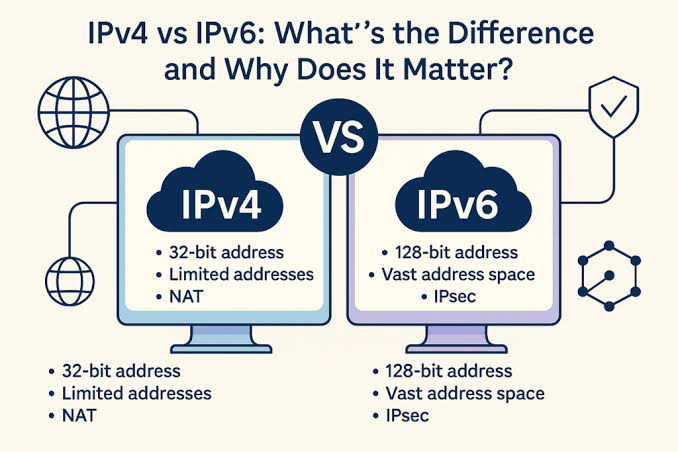
The two major versions you will encounter are IPv4 and IPv6. IPv4 is the older and still extremely common addressing system. IPv6 was developed partly because the world needed a much larger supply of IP addresses as more computers, phones, servers, smart devices, and other equipment connected to networks.
| Feature | IPv4 | IPv6 |
| Address Size | 32 bits (4 bytes) | 128 bits (16 bytes) |
| Address Format | Numbers separated by dots (192.168.1.1) | Numbers separated by dots (192.168.1.1) |
| Total Addresses | ~4.3 billion | (virtually unlimited) |
| Configuration | Manual or via DHCP | Auto-configuration (SLAAC) or DHCPv6 |
| Network Translation (NAT) | Required to share single public IP | Not needed; every device gets its own global address |
| Header Efficiency | Complex header, variable length | Simplified fixed-size header for faster processing |
What Is an IPv4 Address?
IPv4 stands for Internet Protocol version 4. An IPv4 address normally looks like four groups of numbers separated by periods, such as 192.168.1.25 or 8.8.8.8. Each group can contain a number from 0 through 255.
One reason IPv4 became so popular is its relatively simple format. However, IPv4 provides a limited address space. As internet usage exploded, the available pool of IPv4 addresses became insufficient for assigning a unique public address to every connected device.
This is one reason technologies such as private IP addresses and network address translation (NAT) became so important. A home router can allow many devices to use private addresses internally while sharing one public IPv4 address when communicating with the wider internet. So if your family has five phones and three laptops, those devices do not necessarily need eight separate public IPv4 addresses.
What Is an IPv6 Address?
IPv6 stands for Internet Protocol version 6. Instead of using four decimal groups like IPv4, IPv6 uses a much larger hexadecimal address format. An IPv6 address may look something like 2001:db8:85a3::8a2e:370:7334.
At first glance, IPv6 looks intimidating. But the reason it exists is fairly simple: there are vastly more possible IPv6 addresses than IPv4 addresses. This enormous address space makes it possible to support the continuing growth of internet-connected devices.
You do not need to memorize an IPv6 address or understand hexadecimal to use the internet. If a website tells you that your connection is using IPv6, it simply means your network is communicating using the newer IP addressing system. Both IPv4 and IPv6 serve the same broad purpose: helping devices and networks communicate using standardized internet addressing.
Public IP vs Private IP
One of the easiest ways to become confused when learning what is my IP address is to find two different IP addresses on two different screens. That can happen because your device can have a private IP address inside your local network and your network can also have a public IP address visible to internet services.
| Feature | Public IP Address | Private IP Address |
| Scope | Global (Internet-wide) | Local (Internal LAN/Wi-Fi network) |
| Accessibility | Direct access from anywhere on the internet | Reachable only within the local network |
| Assignment | Assigned by your Internet Service Provider (ISP) | Assigned by your local router |
| Uniqueness | Universally unique across the entire world | Unique only within your local network (can repeat on other networks) |
| Cost | Often paid (especially for static IPs) | Completely free |
| Primary Purpose | Connects your router or server to the external web | Allows local devices (laptop, printer, phone) to communicate |
| Example | 203.0.113.45 | 192.168.1.15 |
Your private IP might look like 192.168.1.20, while your public IP might look completely different. The private address is used inside your home, office, school, or another local network. Your public IP is the address associated with your internet connection as seen from outside that local network.
What Is a Public IP Address?
A public IP address is an IP address used for communication over the public internet. When you visit a website, the website can generally see the public IP address from which your connection is coming. This is why an online IP address lookup can display information about your connection.
Think about your apartment building. Hundreds of people might live inside the same building, but the building has one main street address. Your home network can work somewhat similarly. Multiple devices can sit behind one router while appearing to internet services through the same public IP address.
Your ISP, or Internet Service Provider, typically plays an important role in assigning or providing your public internet connection. Depending on your service and network setup, that public IP can be shared, dynamic, or otherwise managed by the provider.
What Is a Private IP Address?
A private IP address is used inside a local network rather than being directly exposed as a public internet address. Your Wi-Fi router may assign private addresses to your phone, laptop, printer, smart TV, and other devices.
For example, your laptop could have a private address such as 192.168.1.5, while your phone could have 192.168.1.6. These addresses help your router distinguish between devices inside your network.
Private IP addresses are especially useful because you do not need a separate public IPv4 address for every device. Your router manages communication between your local devices and the wider internet. This is one reason the public IP you see online can represent an entire home or office network rather than one specific device.
Static vs Dynamic IP Addresses
Another important distinction is static versus dynamic IP addresses. A static IP is intended to remain the same, while a dynamic IP can change over time. Many everyday home internet users receive dynamic public IP addresses from their ISP.
Imagine renting a parking space. If you always receive the exact same space, that is somewhat like a static address. If the parking space can change whenever you return, that is more like a dynamic address. The comparison is not perfect, but it helps explain why your public IP may not always remain identical.
Dynamic addresses are common because they allow providers to manage their address pools efficiently. A static IP can be useful for certain situations, such as hosting services or business systems that need a consistent address. Most ordinary users do not need to worry about whether their home IP is static or dynamic.
How to Find or Check My IP Address
If you searched “What is my IP?”, you probably want to see your current public IP address. The easiest method is usually to search for “what is my IP address” in a search engine or use a reputable IP-checking website. Such services can display your public IP and sometimes additional network information.
You can also find your local private IP through your device’s network settings. On Windows, for example, you can use network settings or commands such as ipconfig. On phones, tablets, and other devices, the exact steps depend on the operating system.
The key point is that “my IP address” can mean different things depending on what you are trying to find. If you want to know what websites see, you are generally looking for your public IP. If you want to troubleshoot your home Wi-Fi, you may be interested in your private IP. Knowing this difference can save you a lot of confusion.
How Websites See Your IP
When you visit a website, your browser sends a request through your network. The website’s server receives network information associated with that request, including an IP address. This is normal internet operation and does not automatically mean the website knows who you are personally.
For example, imagine entering a restaurant and asking for a menu. The restaurant needs to know which table requested it. Similarly, a server needs network information so it knows where to send the requested data.
Websites can use IP information for several ordinary purposes, including estimating a visitor’s geographic region, detecting suspicious traffic, managing security systems, limiting certain automated requests, and presenting region-specific content. An IP address can therefore be useful information, but it is only one part of the much larger picture of online identity and tracking.
What Can Someone Learn From My IP Address?
So, what information can an IP address reveal? In general, an IP can be associated with information such as the country, approximate region, approximate city, and internet service provider or network. The exact information varies depending on the IP address, network, database, and geolocation provider.
IP geolocation should not be confused with GPS. MaxMind explains that country-level geolocation is generally much more reliable than city-level precision, while city-level results can vary substantially. Its documentation also emphasizes that IP geolocation should not be treated as a method for locating a particular person or household.
An IP can therefore give a website a useful approximation, but it does not automatically hand over your complete personal profile. Other information, such as account details, cookies, browser characteristics, login information, or data voluntarily provided to a website, can be much more important when determining who a visitor actually is.
Can Someone Find My Exact Location From My IP?
This is one of the biggest fears people have after learning about IP addresses. The short answer is usually no. An IP address can often provide an approximate geographic location, but it generally cannot independently reveal your exact home, apartment, or GPS coordinates.
For example, an IP lookup might say that an IP is associated with Mumbai or another nearby area. That does not mean the person performing the lookup knows which building, apartment, or street you are currently standing on. MaxMind explicitly states that IP geolocation is not intended to reveal a person’s precise physical location and can have an accuracy radius ranging from a few kilometers to hundreds of kilometers depending on the situation.
This is why the phrase “IP address location” should be interpreted carefully. It generally means an estimated geographic association with an IP address, not a live GPS position. Your browser or apps may have access to much more precise location information if you give them permission, but that is a separate issue from what an IP address alone reveals.
Does My IP Address Reveal My Name or Identity?
An IP address by itself normally does not simply display your name. If someone performs an IP address lookup, they may see network-related information, but they generally will not receive a result saying, “This IP belongs to John Smith at this exact house.”
Your ISP may have records connecting an IP address to a customer account at a particular time. That information is different from what an ordinary person can obtain through a basic public IP lookup. Websites can also connect an IP with an account if you log in and provide identifying information.
Think about it this way: your IP is more like the address of the internet connection than a government ID card. If you enter your name, email address, phone number, or account credentials on a website, that website may know those details because you provided or authenticated them. The IP address itself is not magically carrying all of that information.
Can My IP Address Change?
Yes, your IP address can change. In fact, many people use dynamic public IP addresses, meaning the address assigned to their internet connection can change over time.
Your public IP may change after certain network events, depending on how your ISP manages addresses. Changing networks will also normally give you a different public IP. For example, if you disconnect from your home Wi-Fi and use mobile data, you are using a different internet connection and will generally have a different public IP.
Mozilla also notes that a home internet IP can change and that even restarting a modem or router may sometimes result in a different address, depending on the network setup.
This is another reason not to think of an IP address as a permanent digital identity. It can be associated with your connection at a particular time, but the address itself is not necessarily permanent.
Why Do People Use VPNs to Hide Their IP?
A VPN, or Virtual Private Network, is one of the most common tools people use when they want to hide their normal public IP address. Instead of websites seeing your connection’s normal public IP, they can see the IP address associated with the VPN server you are connecting through.
Imagine sending a letter through a forwarding service. The recipient sees the forwarding service’s address rather than your original return address. A VPN works differently at a technical level, but this analogy captures the basic privacy idea.
A VPN can also encrypt network traffic between your device and the VPN server. Mozilla explains that a VPN creates an encrypted tunnel and masks the user’s IP address by routing traffic through VPN servers.
However, a VPN is not a magic invisibility button. Websites can still recognize you through accounts, cookies, browser characteristics, and other technologies. A VPN primarily changes the network path and hides your usual IP from the websites you visit.
IP Address Privacy and Online Safety
Your IP address is only one part of online privacy, but understanding it can help you make better decisions. If you use public Wi-Fi, travel frequently, work remotely, or simply want another layer of privacy, you may consider using a reputable VPN.
A VPN can make your IP appear to come from a different server location and can encrypt traffic between your device and the VPN service. Mozilla describes VPNs as an additional privacy and security layer rather than a guarantee of complete anonymity.
The important lesson is not “everyone must hide their IP.” Most people use the internet every day without actively hiding it. Instead, understand what an IP can and cannot reveal, use secure websites, keep your devices updated, avoid suspicious links, and choose privacy tools based on your actual needs.
Also remember that choosing a VPN means trusting the VPN provider. Your traffic has to pass through its infrastructure, so the provider’s privacy policy and business model matter. A free VPN is not automatically better simply because it costs nothing.
Common Myths About IP Addresses
There are many exaggerated claims about IP addresses online. One common myth is that someone can instantly find your exact house from your IP address. As explained earlier, IP geolocation usually provides an approximate area rather than precise household-level GPS information.
Another myth is that your IP address is your personal identity. It is not. Your IP identifies or represents a network connection, and many people can share one public IP through routers, carrier networks, offices, schools, or other network arrangements.
Some people also believe that changing your IP makes you completely anonymous. That is not true either. If you log into your Google account, Facebook account, email account, shopping account, or another service, the service can still know which account you are using. Changing your IP does not erase account information, cookies, browser fingerprints, or other identifying signals.
Finally, an IP address is not automatically a sign that your device has been hacked. Websites routinely see visitor IP addresses because that is part of normal internet communication. Seeing an IP in a server log is normal. The important question is what other information is being collected and how it is being used.
Conclusion
So, what is my IP? Your IP address is a network identifier that helps internet-connected devices and services communicate. Think of it like the mailing address of your internet connection: information needs addressing information so it can travel to the correct destination, but that does not mean the IP is your exact home address or a GPS tracker.
The most important concepts to remember are simple. IPv4 and IPv6 are different versions of the Internet Protocol. Your public IP is generally visible to internet services, while your private IP is used inside your local network. Your IP can be dynamic and may change, and an IP lookup can usually provide an approximate location rather than your exact physical location.
If privacy is important to you, a VPN can hide your normal public IP and provide an additional layer of encryption, but it does not make you completely anonymous. The best approach is to understand what your IP actually does instead of being frightened by it. Once you understand that, the mysterious-looking number on a “What is my IP address?” page becomes much less mysterious.